Project Dissonant demo v0.1
A downloadable game for Windows
Controls Layout
Controll | Keyboard & Mouse | Gamepad |
Move | WASD / Arrow Keys | Left Stick |
Aim Direction | Mouse Cursor | Right Stick |
Primary Attack 1 | Left Mouse Button | R2 / RT |
Primary Attack 2 | Q | R1 / RB |
Dissolver Attack 1 | Right Mouse Button | L2 / LT |
Dissolver Attack 2 | E | L1 / LB |
Secondary Attack 1 | 1 | ☐ / X |
Secondary Attack 2 | 3 | ◯ / B |
Open Weapon Config Menu | Tab |
|
Debug: Restart | K |
|
Debug: Full Health | I |
|
Debug: Infinite Coin | O |
|
Debug: Get All Weapons/Mods | L |
Combat - Attack Types & Rhythm
Primary Attack: Deals damage to enemy bodies. Requires precise beat input. This is a single-shot weapon—each press must land on the beat.
Dissolve Attack: Destroys enemy shields. Requires beat-aligned input, but supports continuous fire. Hold the button after triggering on the correct beat to keep firing.
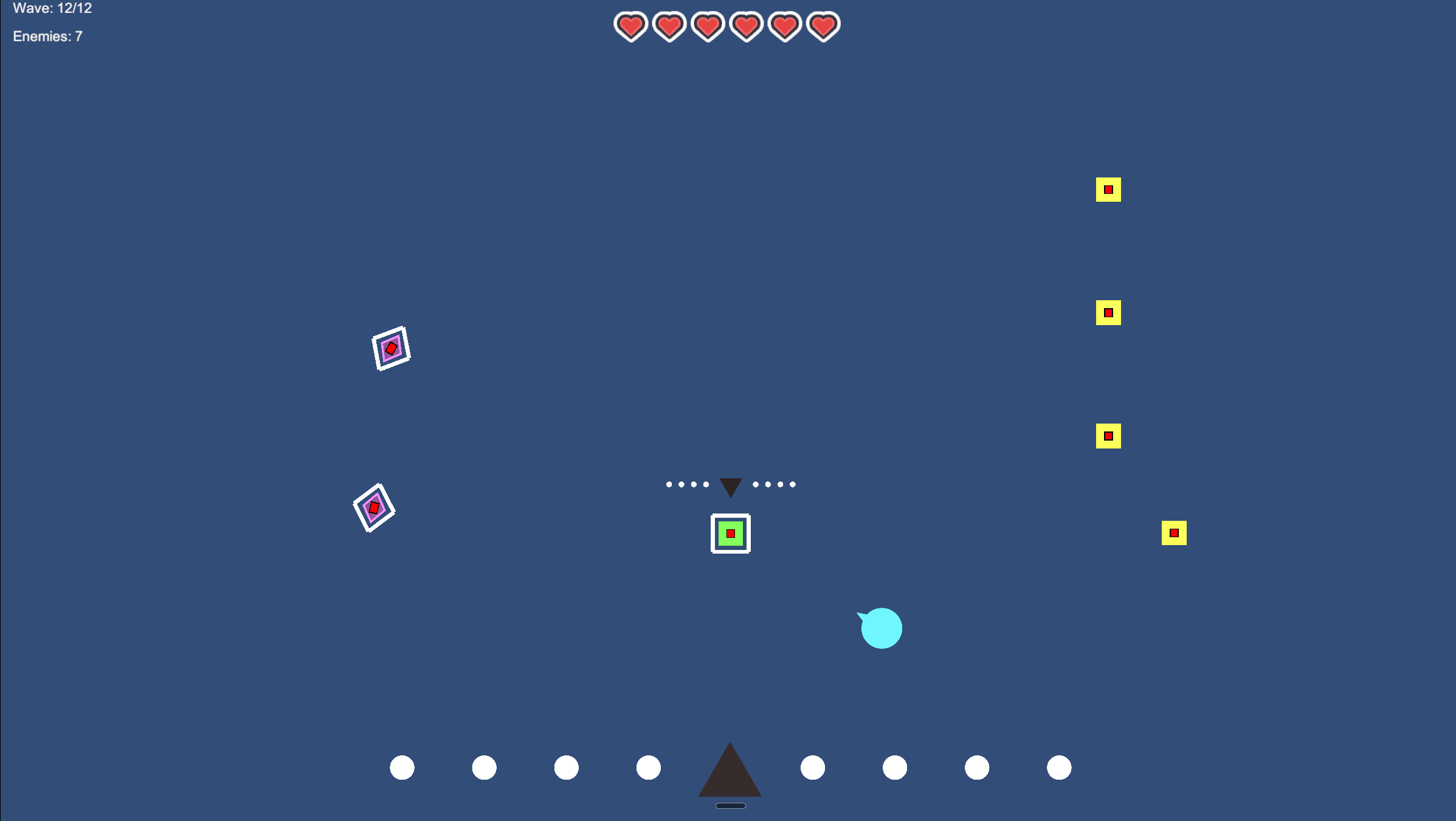
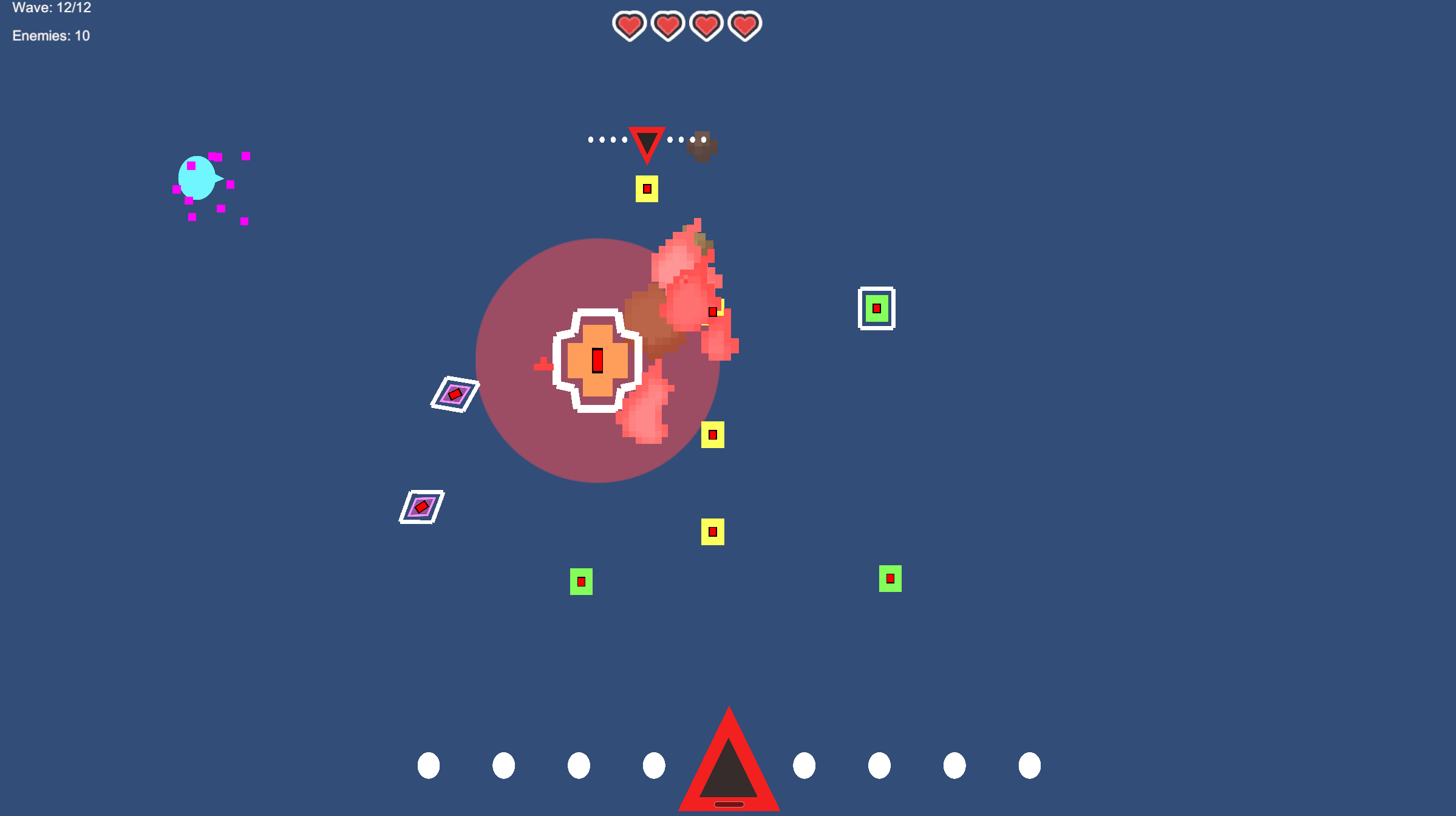
Secondary Attacks: Provide special effects. Trigger timing is shown via two white dots on the left and right of a triangle UI. When four dots are filled, they elongate vertically, indicating it’s time to press the corresponding button. Left dots indicate Secondary Attack 1, Right dots indicate Secondary Attack 2. Example illustration below



Combo System
Successfully hitting consecutive beats builds a Combo. Upon reaching XMax, defeating enemies rewards double coins.
Loadout & Weapon Module Interface
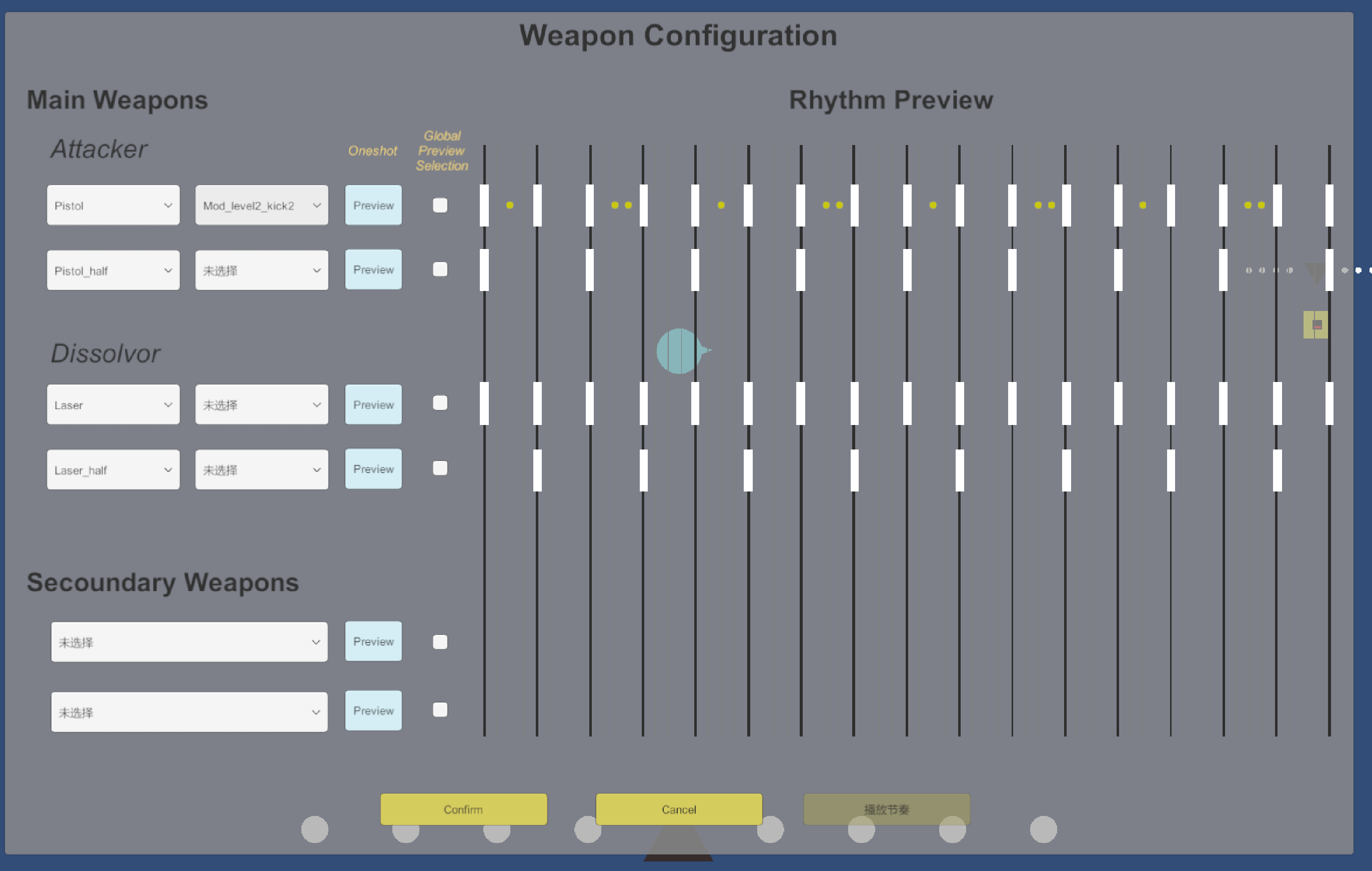
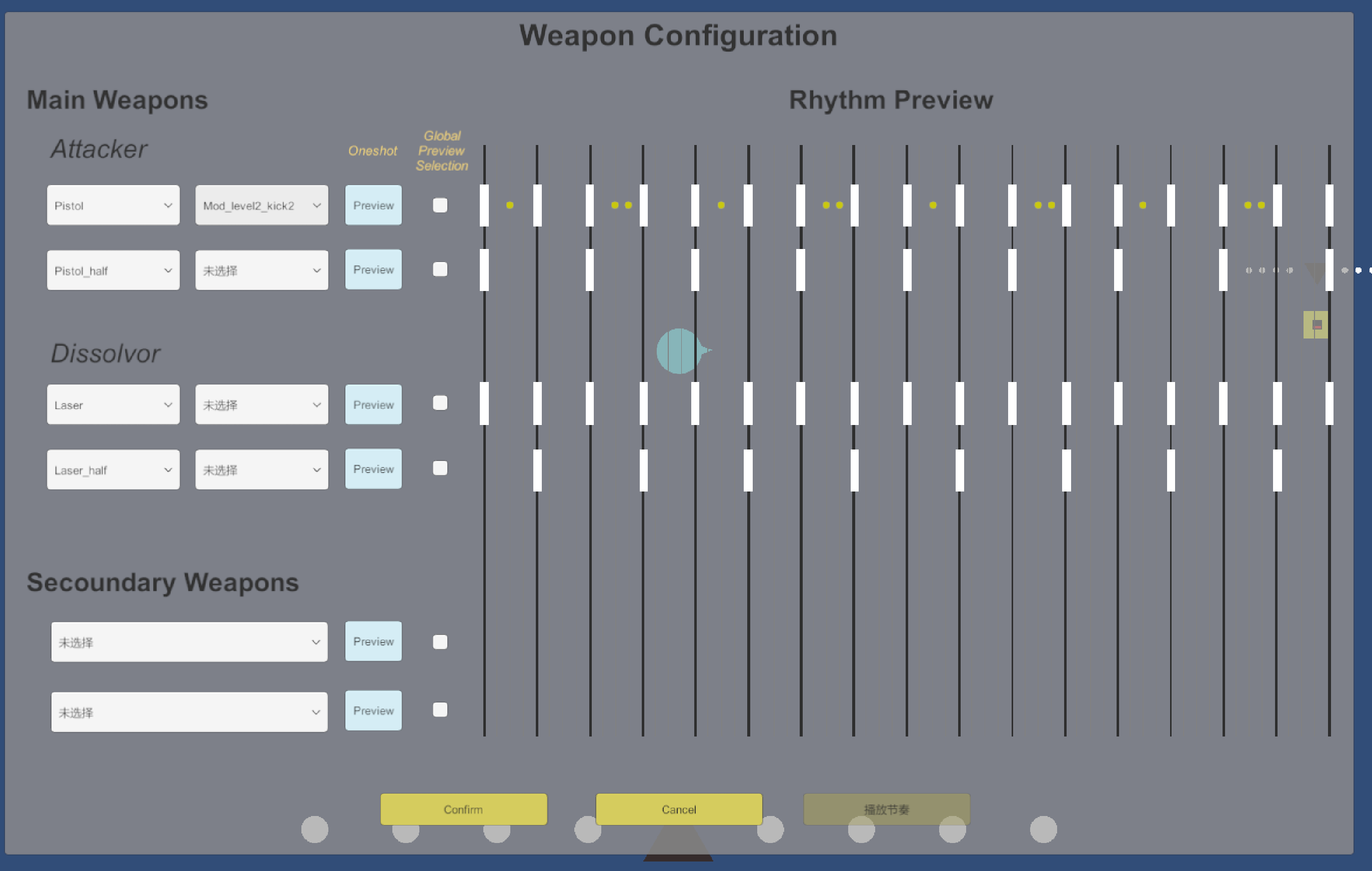
During gameplay, shops will appear. Players can purchase weapons and modules with gold, then equip them via the Loadout Interface. After you purchasing wespons or mods in the shop, press TAB on the keyboard to enter the weapon configuration UI, click the drop down to switch your gears.
Items labeled xx_half are debug options — please ignore them (though they use more natural rhythm pairings).
Once a module is equipped, yellow rhythm dots will appear. After a successful primary beat hit, the system will auto-fire on the following yellow sub-beat(s), or temporarily boost weapon performance.
Game Vision
This game is a rhythm-based action shooter inspired by the experience of first using a Digital Audio Workstation (DAW). It aims to gamify the music production process, allowing players to play with musical elements, feel the groove, and experience the joy of building rhythmic complexity through interaction.
World Setting
You play as a character who has never encountered music before, suddenly pulled into the manic world of a mad musician. The enemies are not traditional monsters—they are personifications of musical tracks and elements: chords, percussion, ambient sounds, transitions, and more.
You represent the Drum Kit, and each of your weapons corresponds to a different drum component (e.g., Kick, Snare, Hi-hat). Your weapon modules represent derived rhythm patterns, allowing your character to automatically unleash frequent attacks that extend beyond the base beat. Through combat, you and the musician collaborate—sometimes in harmony, sometimes in conflict—to complete a constantly evolving piece of music.
Download
Leave a comment
Log in with itch.io to leave a comment.